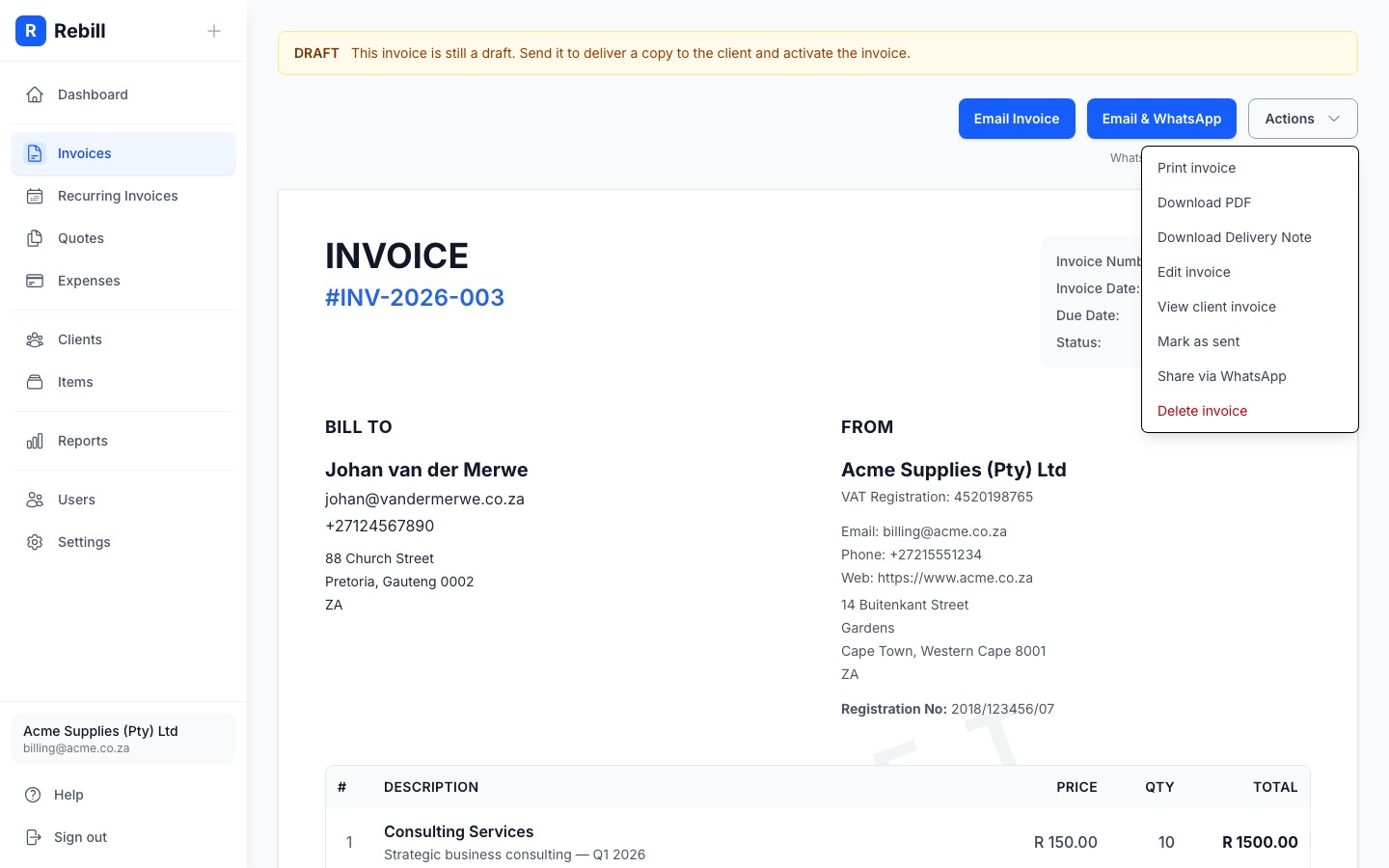
To send an invoice via WhatsApp in South Africa, open the invoice in Rebill, click Email & WhatsApp, and confirm. Your client receives a WhatsApp message containing the invoice PDF and a payment link — they can pay by card (Paystack, Yoco, or PayFast) or EFT without logging in. You can also send by email only, or share a direct payment link via any channel.
Why WhatsApp delivery gets invoices paid faster
WhatsApp messages have significantly higher open rates than email in South Africa, where WhatsApp is the primary business communication channel. When you send via WhatsApp, the client receives a PDF attachment and a tap-to-pay link directly in the chat — reducing friction and the time between sending and payment.Sending by email
- 1
Open the invoice
Go to Invoices and click on the invoice you want to send.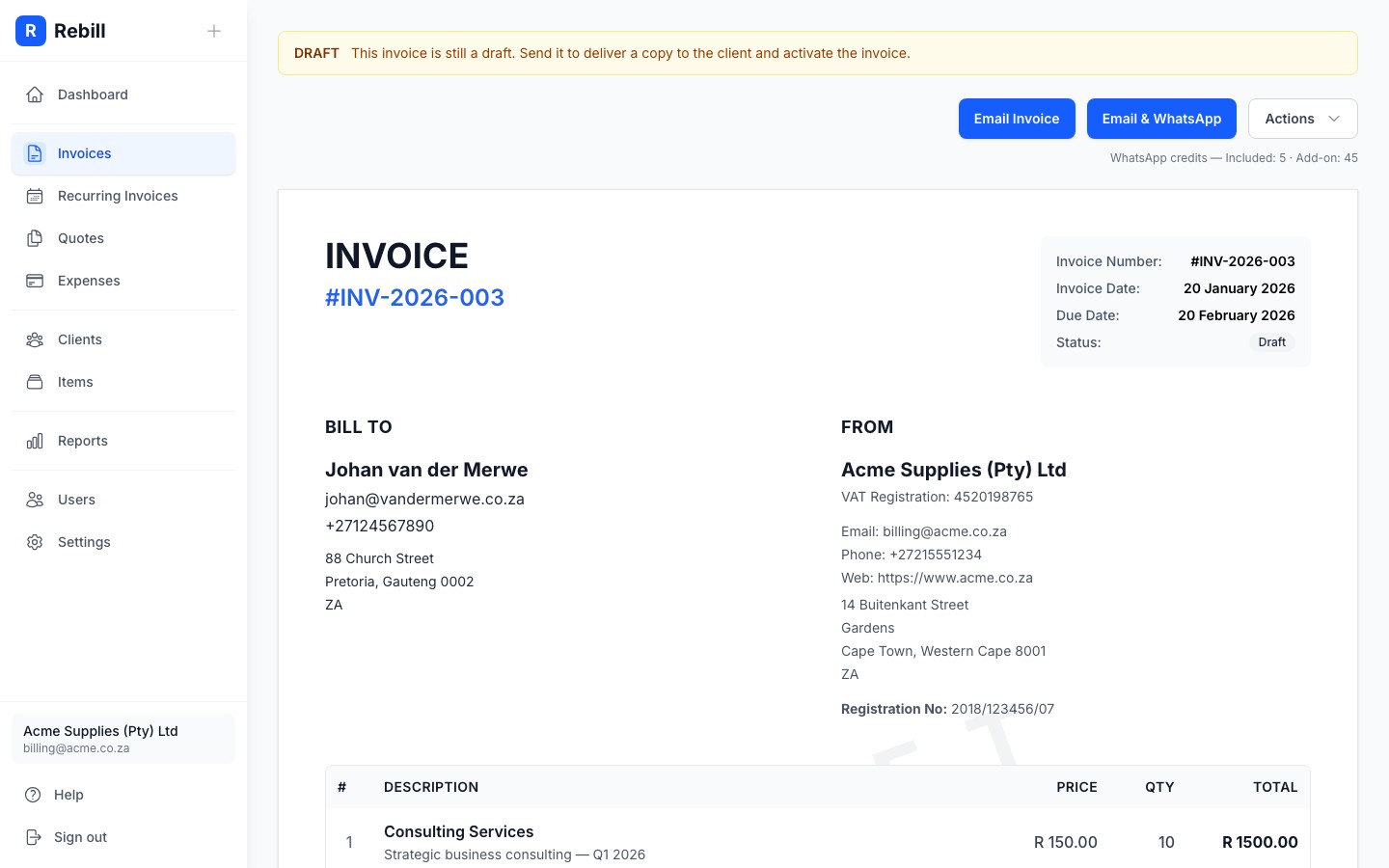
- 2
Click "Email Invoice"
Click the blue "Email Invoice" button at the top of the page.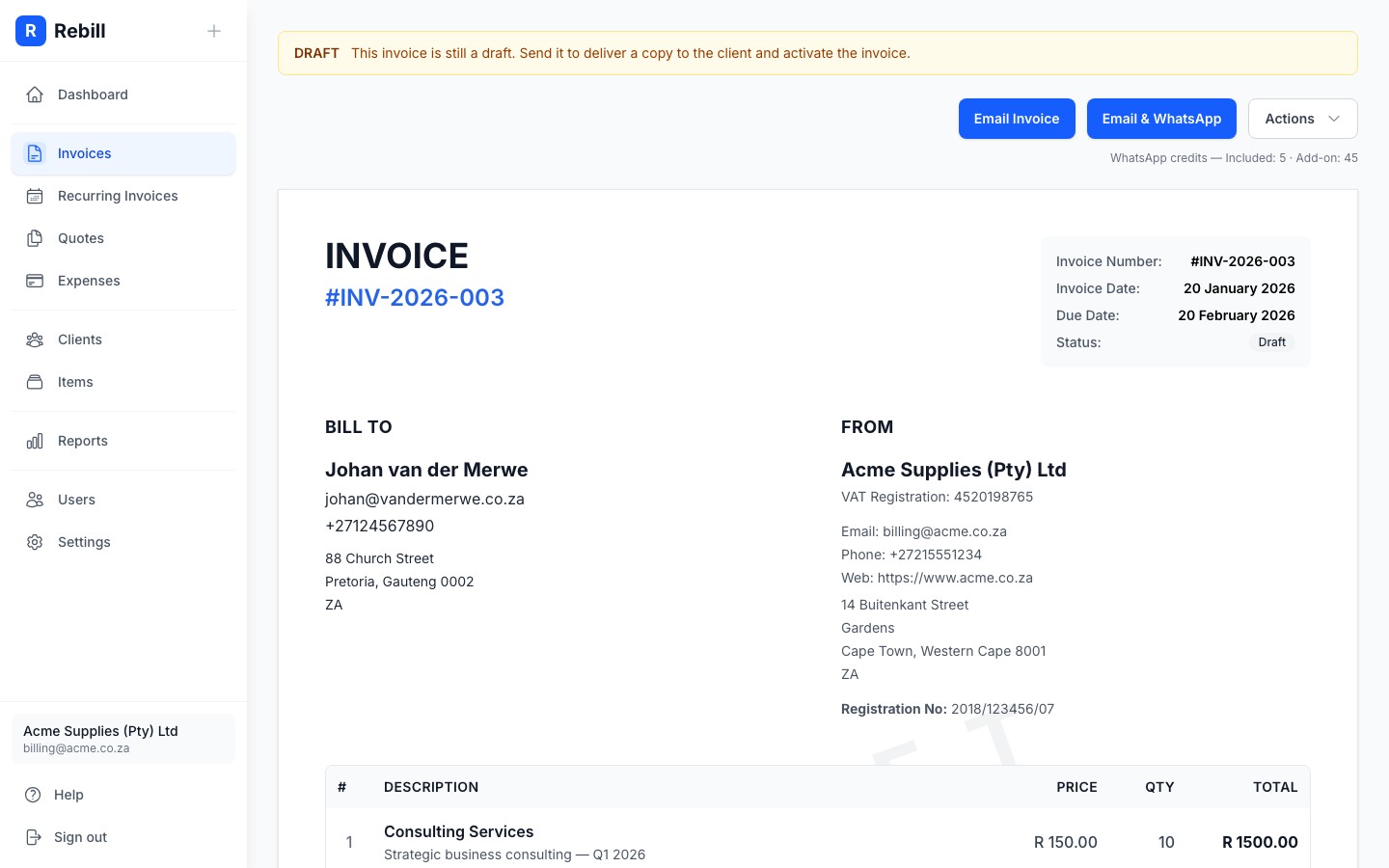
- 3
Confirm and send
A confirmation window will appear showing which email address the invoice will be sent to. Click "Send Invoice" to confirm.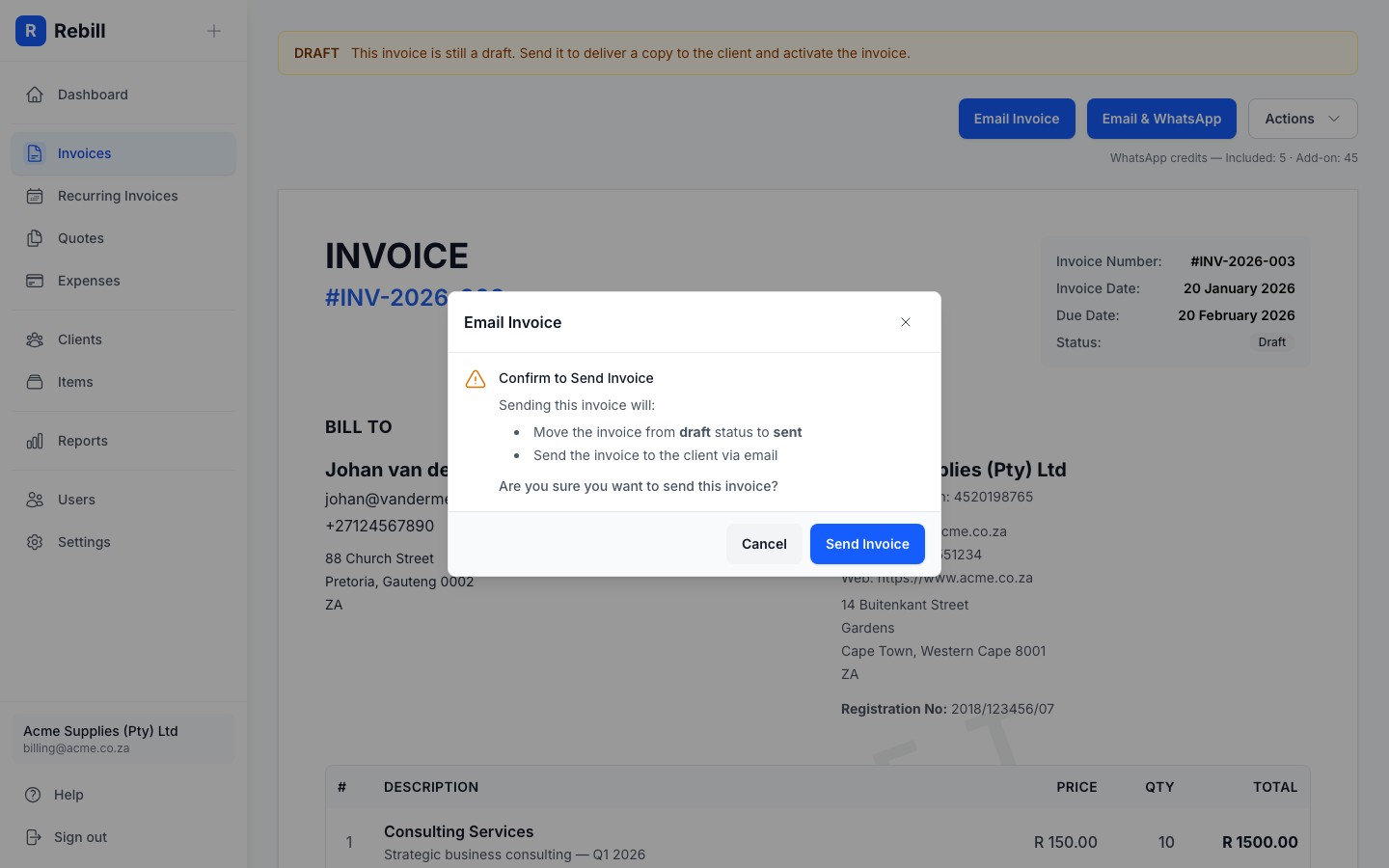
Your client will receive a professional email with a link to view and pay their invoice online. The invoice status will change from Draft to Sent.
Sending by WhatsApp
If you're on a Premium plan and have WhatsApp credits, you can also send invoices via WhatsApp. This is great for clients who are more responsive on WhatsApp than email.
- 1
Click "Email & WhatsApp"
Click the "Email & WhatsApp" button next to the Email button. This sends the invoice by both email and WhatsApp at the same time.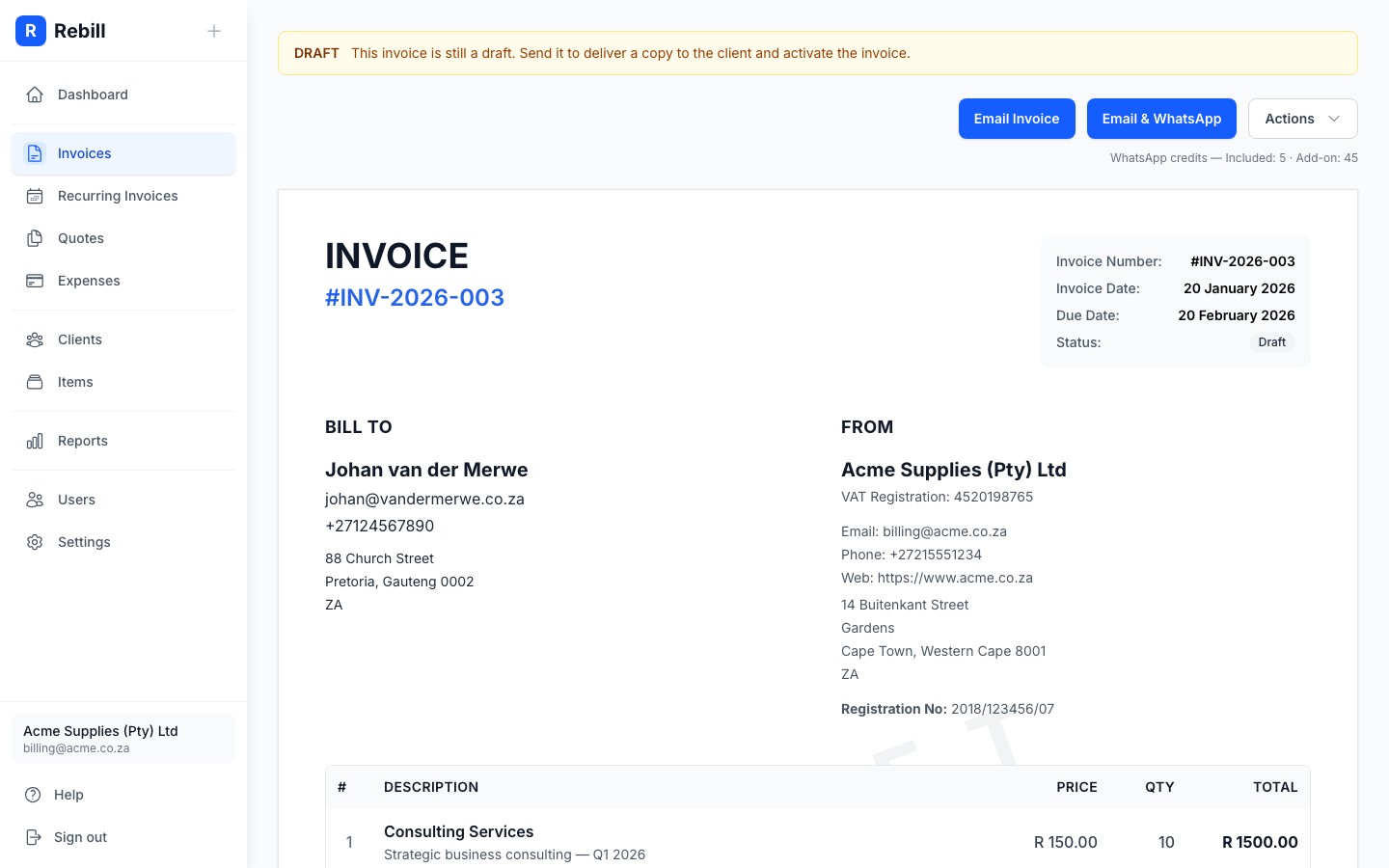
- 2
Review and confirm
A confirmation window shows the email address and phone number it will be sent to, plus the WhatsApp credit cost. Click "Send Invoice" to confirm.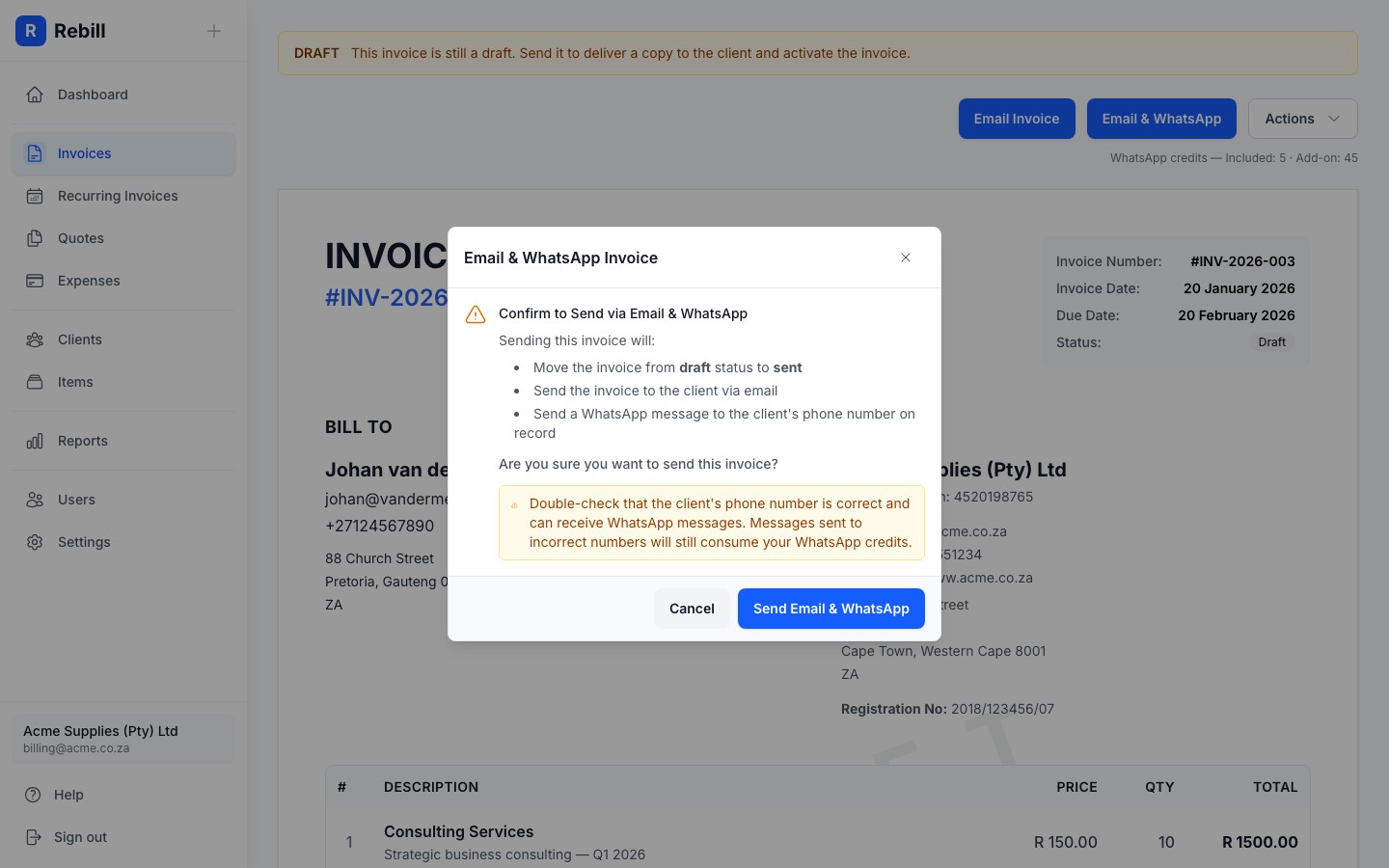
Does sending via WhatsApp use credits?
Yes — each WhatsApp invoice delivery costs one WhatsApp credit. Credits are available to Premium plan subscribers (R99/month). You can buy credit bundles of 50, 100, 250, 500, or 1,000 credits from Settings → WhatsApp. The client must have a phone number saved on their profile for the WhatsApp option to appear.Other sending options
Under the Actions dropdown (top right of the invoice), you'll find more options:
- Mark as sent: changes the status to Sent without sending any notification. Use this if you've sent the invoice manually (e.g. printed and handed over).
- View client invoice: opens the public link your client sees. You can copy this link and send it yourself however you like.
- Share via WhatsApp: opens WhatsApp with a pre-filled message containing the invoice link. This does not use WhatsApp credits. It simply opens WhatsApp on your device.