A SARS-compliant tax invoice in South Africa must include your business name, VAT number (if registered), the client's details, a unique sequential invoice number, the invoice date, a description of each item or service, the quantity, unit price, VAT at 15%, and the total. Rebill generates all of these fields automatically — here's how to create one.
What fields are required on a South African tax invoice?
For a full tax invoice (transactions over R5,000 including VAT), SARS requires:- The words "Tax Invoice" or "VAT Invoice" in the heading
- Your business name and VAT registration number
- The recipient's name and address (and VAT number if they are VAT-registered)
- A unique, sequential invoice number
- The invoice date and the date of the supply
- A description of the goods or services supplied
- The quantity or volume of each item
- The value of the supply excluding VAT
- The VAT rate (15%) and the VAT amount charged
- The total consideration including VAT
- 1
Click "Add Invoice"
Go to Invoices and click "Add Invoice" at the top right of the page.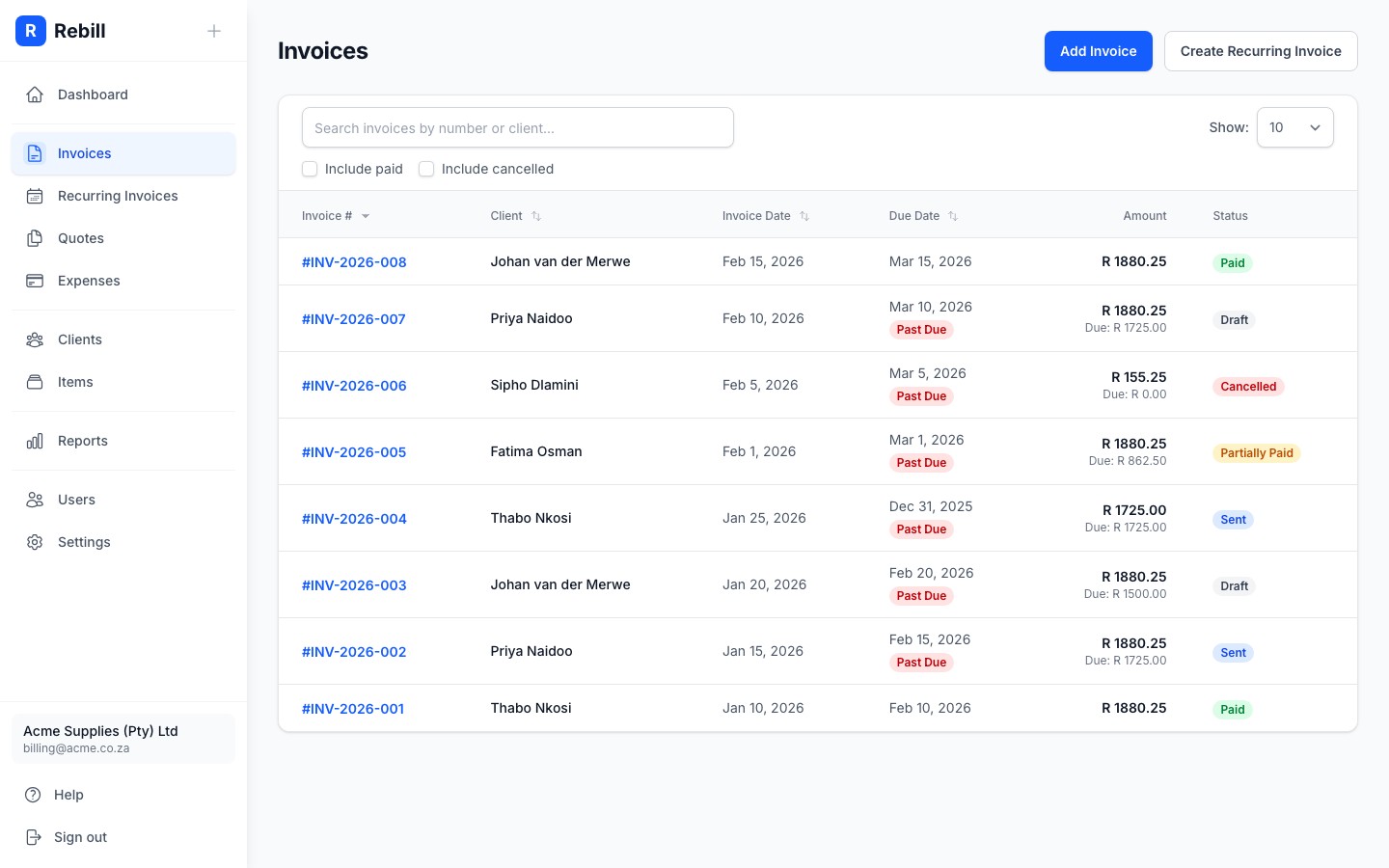
- 2
Select your client
Start typing the name of the client you want to invoice in the Client field. A dropdown will appear; click on the correct client to select them.
If the client doesn't exist yet, you can add them quickly without leaving the invoice form.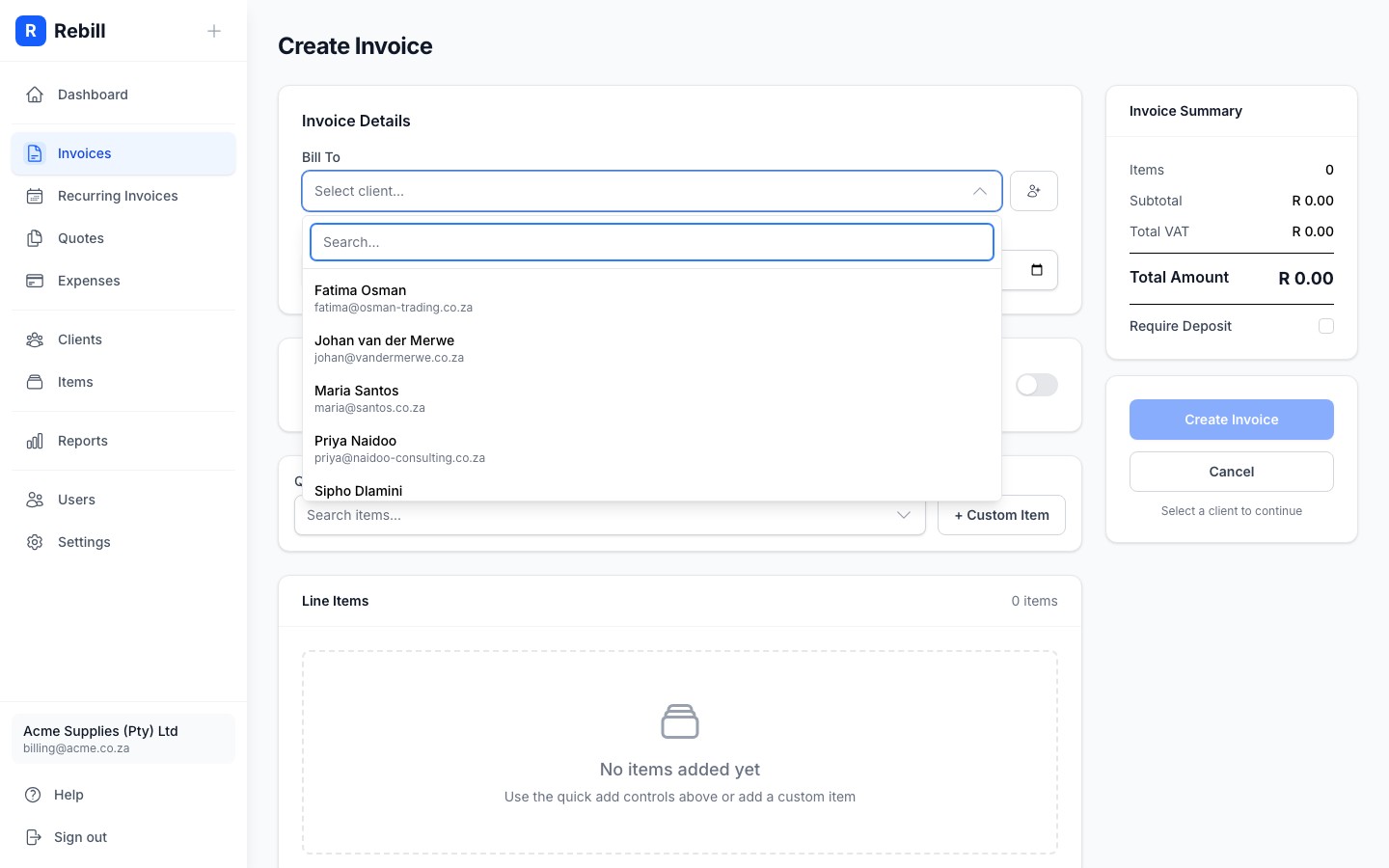
- 3
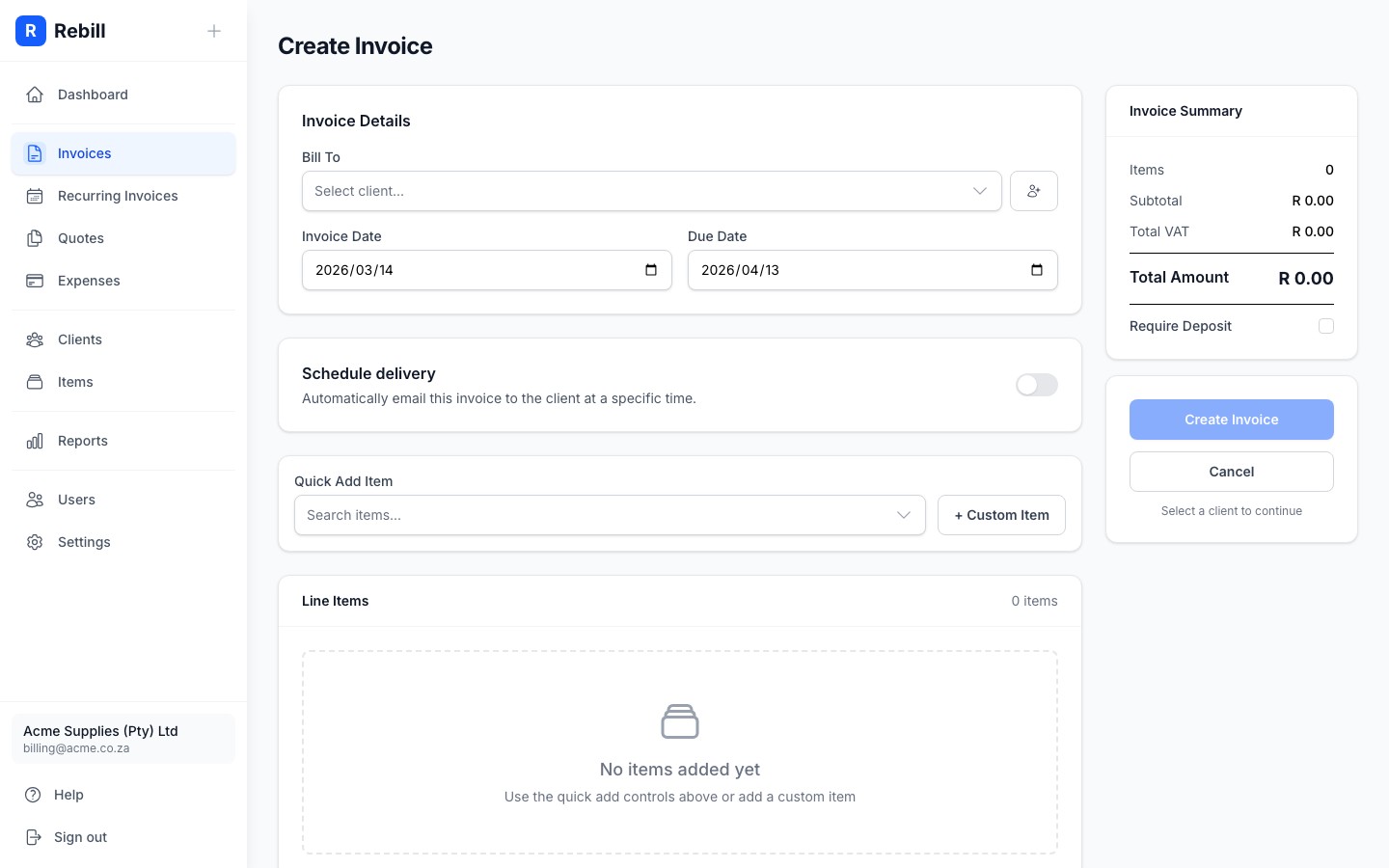
Set the invoice date and due date
- Invoice Date: usually today's date (filled in automatically)
- Due Date: when you expect to be paid (e.g. 30 days from today)
- 4
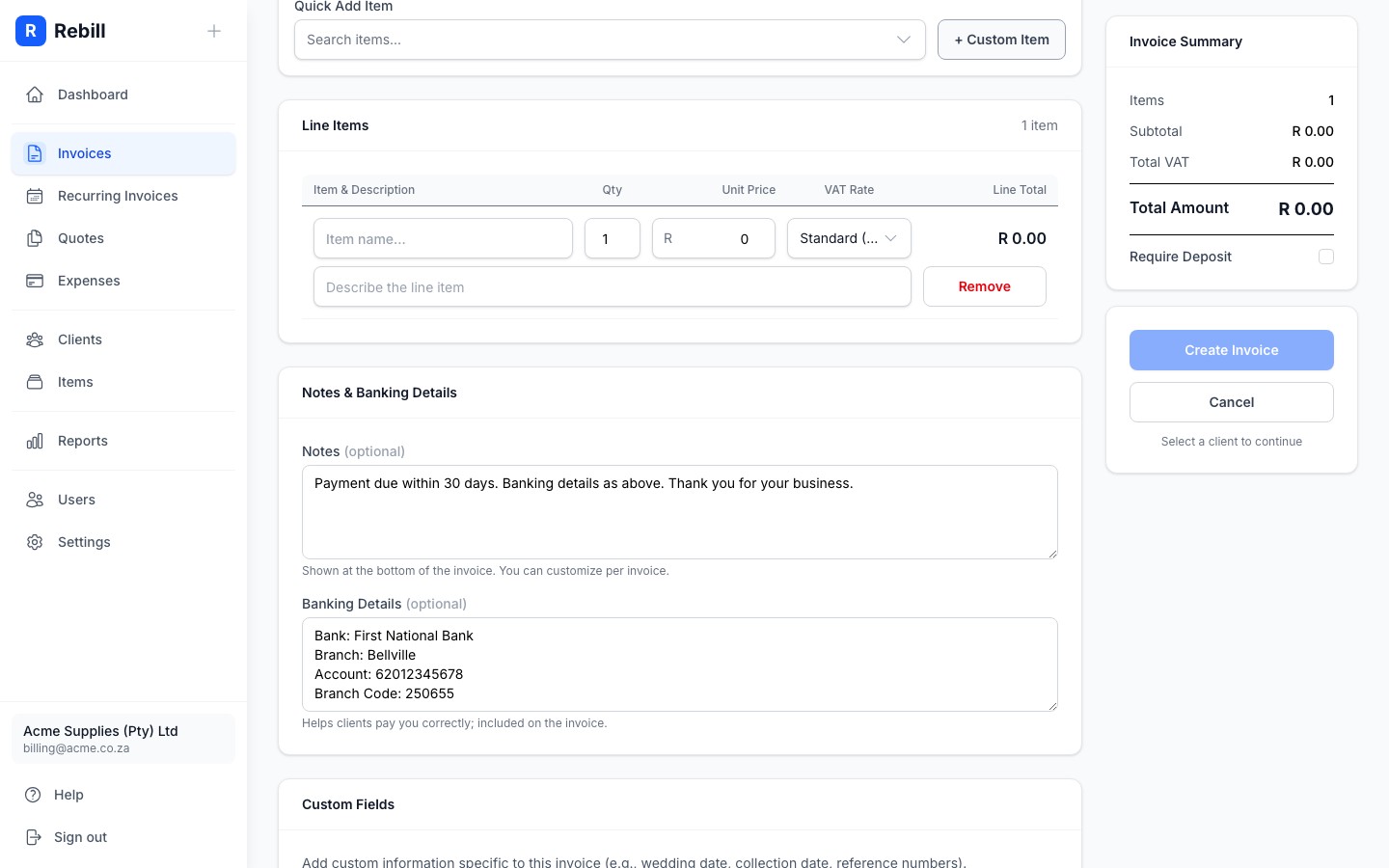
Add your line items
Each line item is something you're charging for. Click "Add Line Item" and fill in:- Description: what the item or service is
- Quantity: how many units (e.g. 1, 5, 0.5 for half an hour)
- Unit Price: the price per unit
- 5
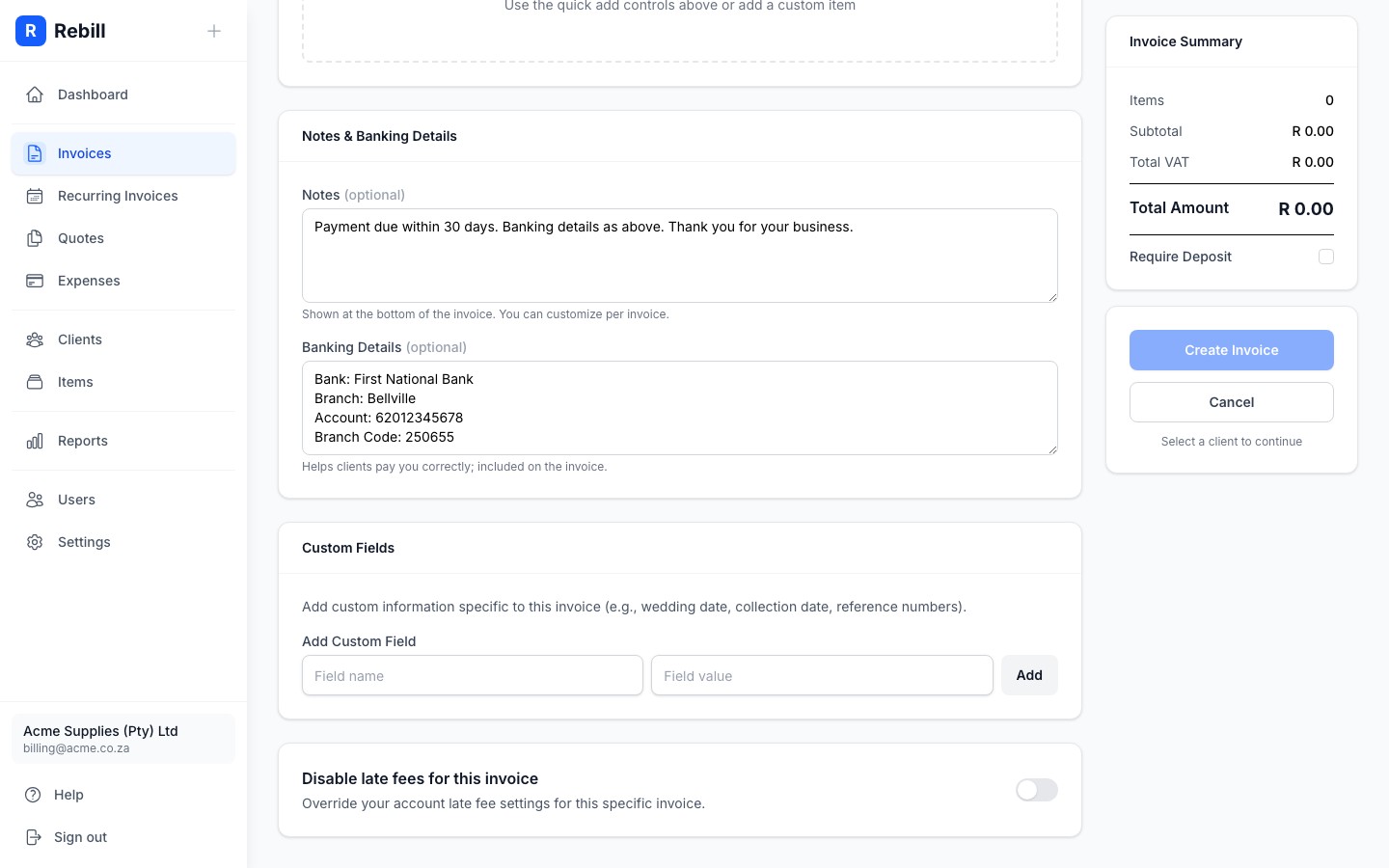
Add notes or bank details (optional)
- Notes: any message for your client, like payment terms or a thank-you message
- Bank Details: shown on the invoice if you want clients to pay by EFT. These default to what you've set in Settings.
- 6
Create the invoice
When you're done, click "Create Invoice" to save it. The invoice will be created as a draft. You can then send it to your client from the invoice page.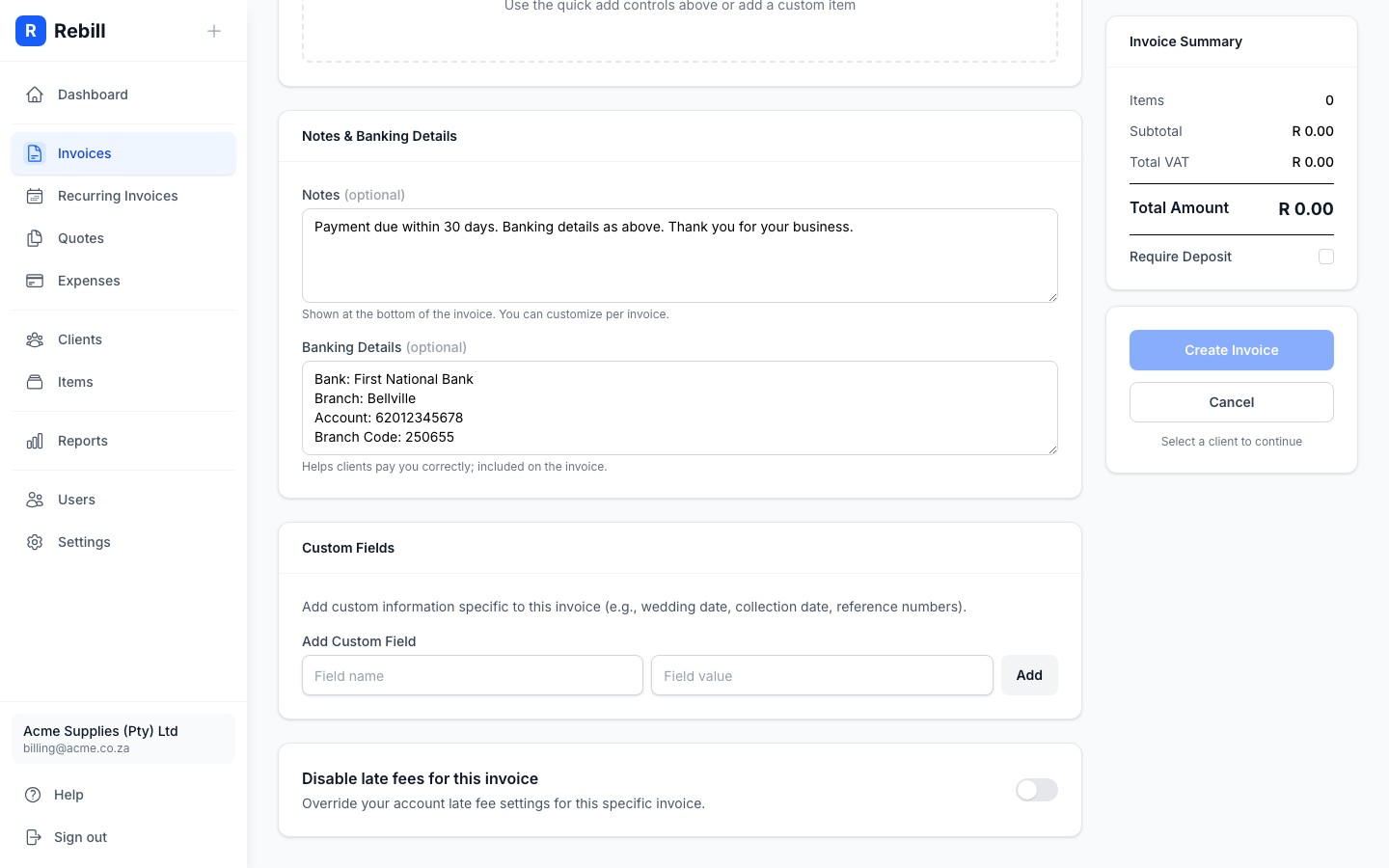
Use saved items to save time
If you regularly charge for the same things, add them to your Items catalog first. Then when adding a line item, just search by name and the description and price will fill in automatically.VAT-registered businesses
If your account is set as VAT-registered (in Settings), you'll see a VAT Type column on each line item. Set each item as Standard (15%), Zero-rated, or Exempt. Rebill calculates the VAT amount and totals automatically and displays them in the correct SARS-compliant format at the bottom of the invoice.Do I need to register for VAT?
VAT registration is mandatory in South Africa once your taxable turnover exceeds R1,000,000 in any 12-month period. Voluntary registration is possible at any lower threshold. If you are not VAT-registered, leave the VAT field blank — your invoice will still be valid, but it will not include a VAT number or VAT line items. Consult a registered tax practitioner if you are unsure.