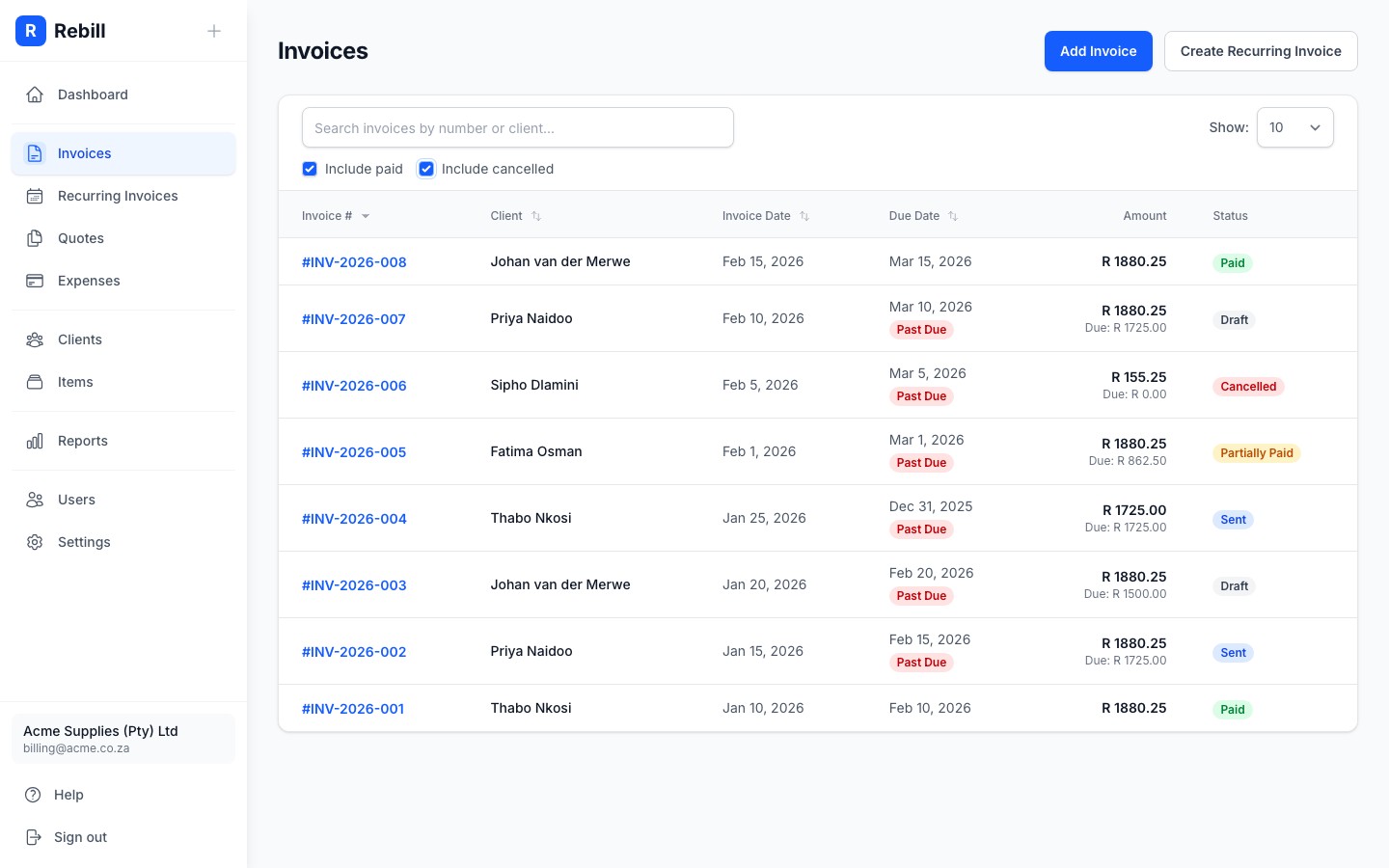
Every invoice in Rebill has a status that shows exactly where it is in the payment lifecycle — from Draft (not yet sent) through to Paid (fully settled) or Cancelled (voided). Here is what each status means and when it changes.
Status meanings
| Status | Colour | Meaning | Can you edit it? |
|---|---|---|---|
| Draft | Grey | Created but not yet sent. The client cannot see it. | Yes |
| Sent | Blue | Emailed or sent to the client. They can now view and pay it online. | No — cancel and recreate to make changes |
| Partially Paid | Amber | Some payment received but not the full amount (e.g. a deposit). | No |
| Paid | Green | Full amount received. No further action needed. | No |
| Overdue | Red | Due date has passed and the invoice has not been fully paid. Rebill changes this automatically. | No |
| Scheduled | Purple | Set to send automatically at a future date and time. | Yes — until it sends |
| Cancelled | Red | Voided. Kept in your records for accounting purposes but will not be collected. | No |
Filtering your invoice list
By default, your invoice list hides paid and cancelled invoices to keep things tidy. Check the "Include paid" and "Include cancelled" boxes at the top to show them.