Categories let you organise expenses by type. Rebill comes with a set of default categories to get you started. You can add your own and delete any you do not need.
Managing categories
- 1
Go to Settings → Expenses
Click Settings in the left sidebar, then click the Expenses tab.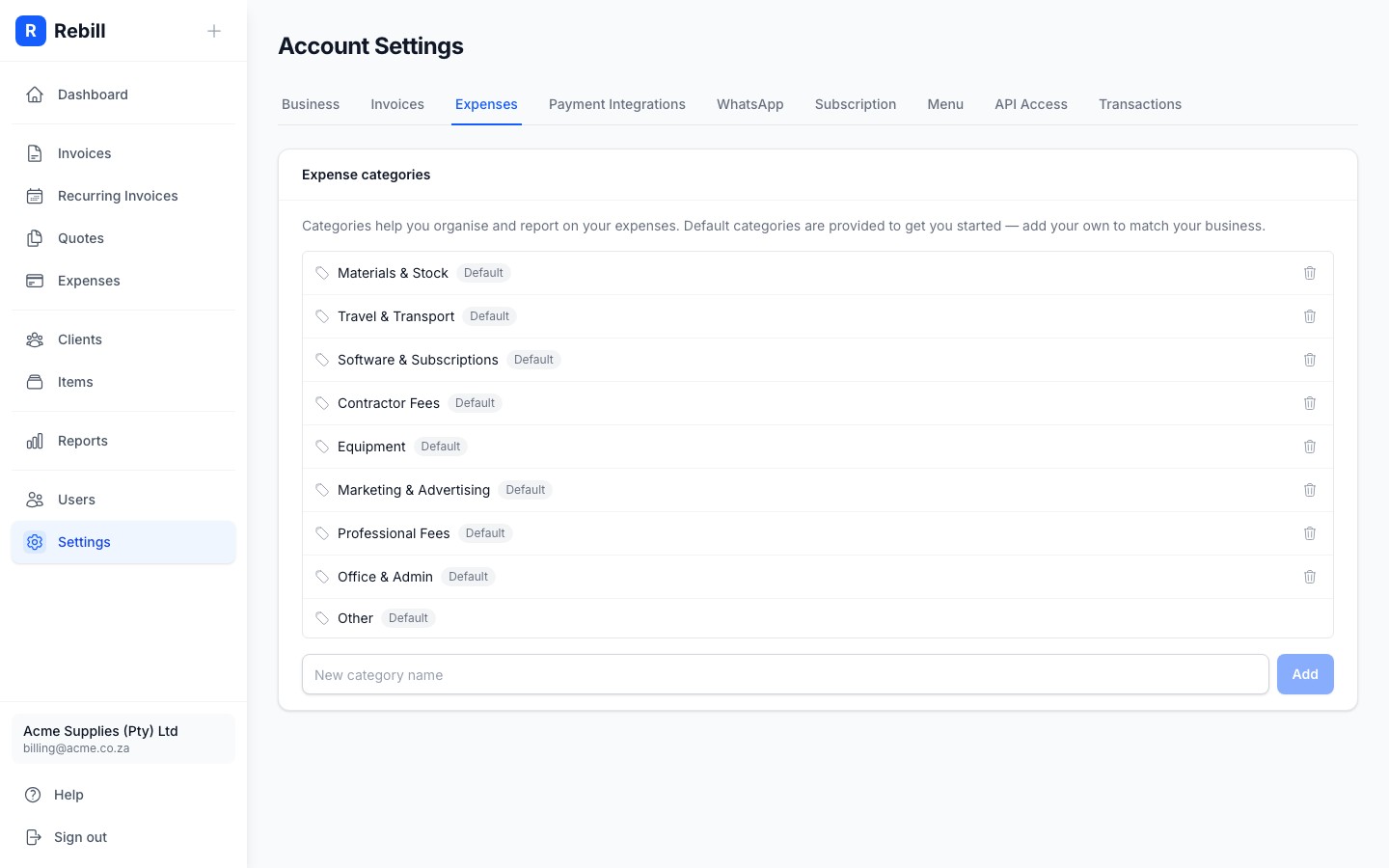
- 2
Add a category
Type the category name in the field at the bottom of the list and click "Add". The new category is available immediately when logging expenses.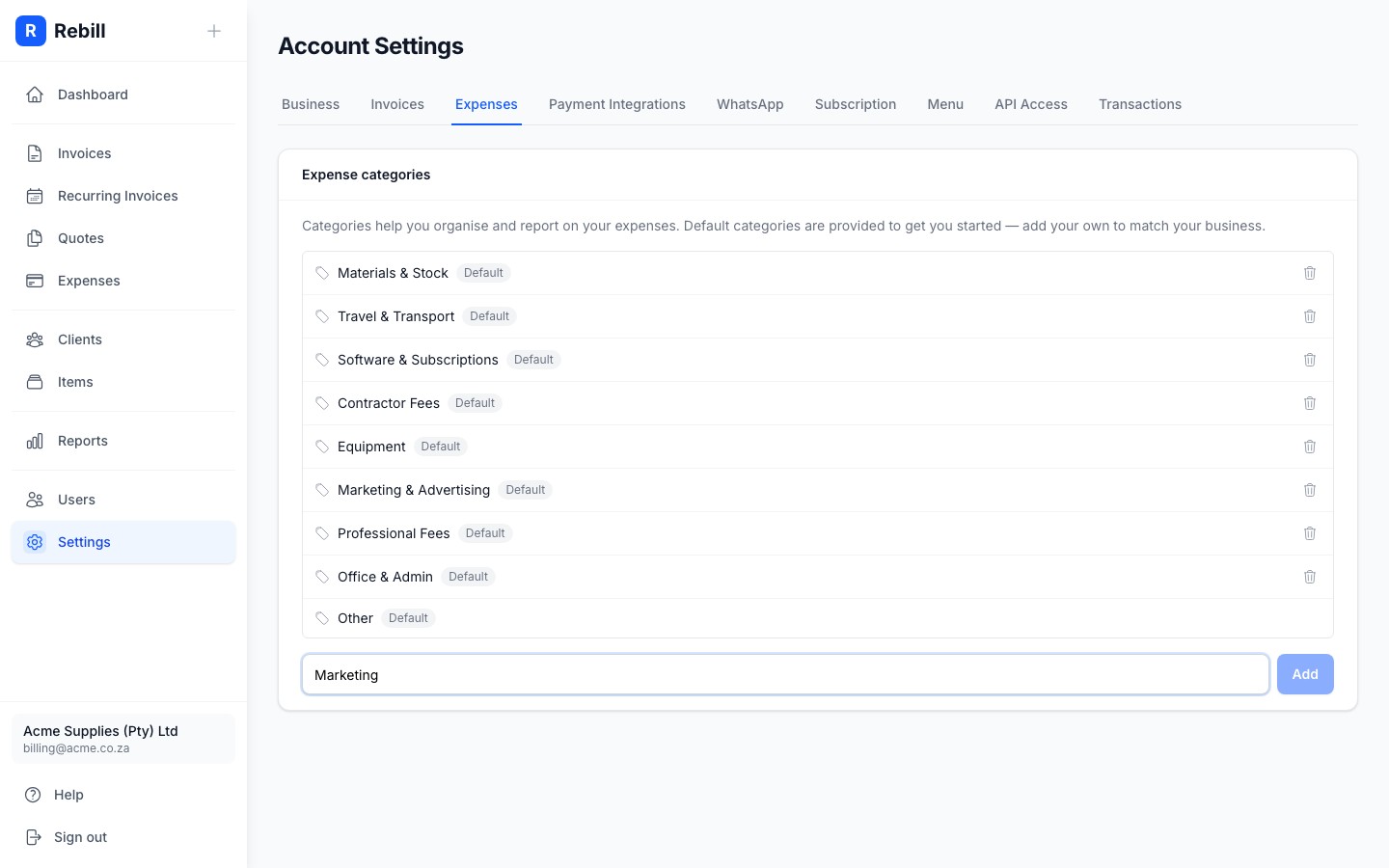
- 3
Delete a category
Click the trash icon next to any category you want to remove. If any expenses are using that category, they will be moved to "Other" automatically.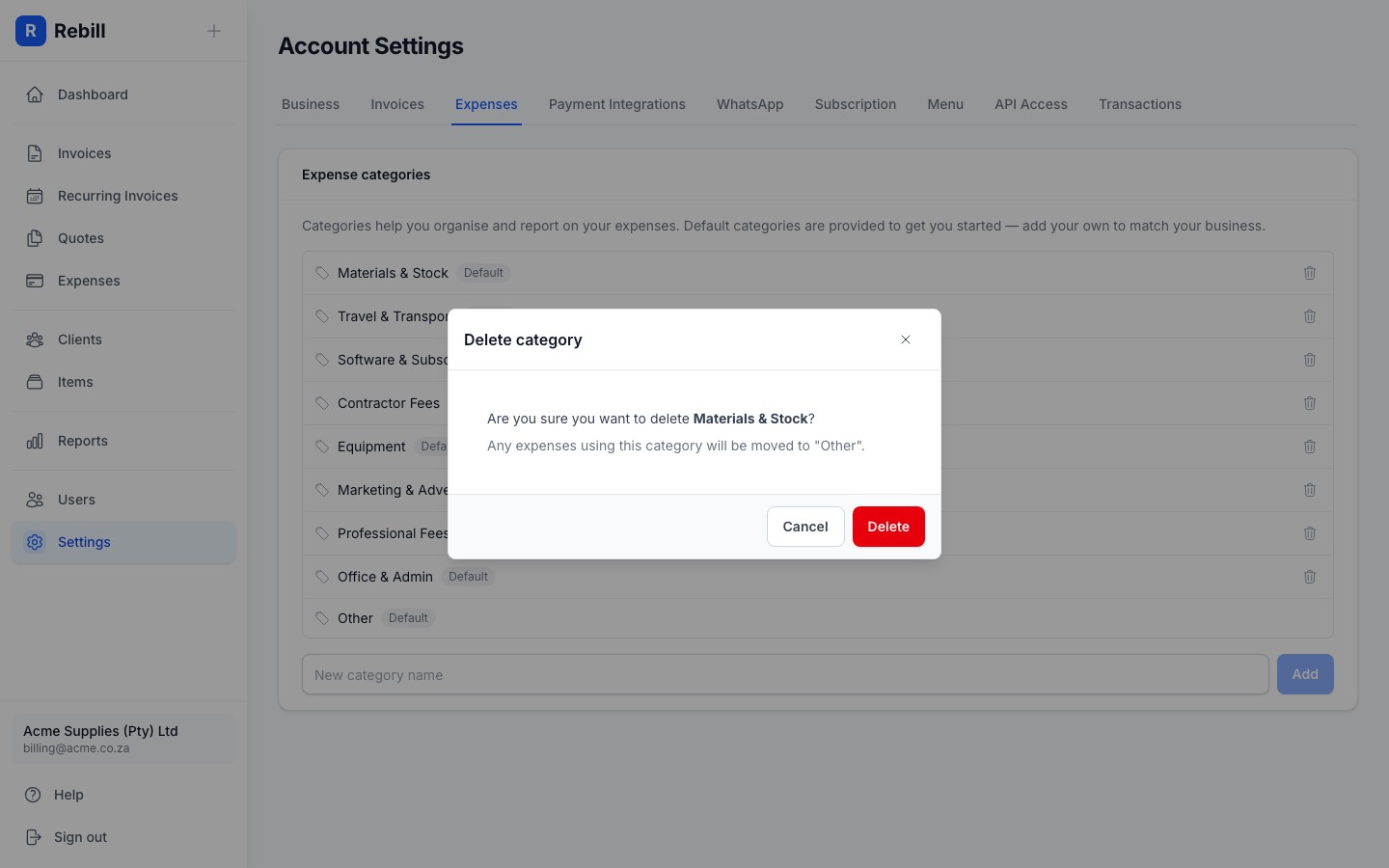
Note
The "Other" category cannot be deleted. It acts as a fallback for expenses without a matching category.Use categories consistently
Consistent categorisation makes your Expense Report more useful. If you always put fuel under the same category, your report will accurately show your total transport spend.