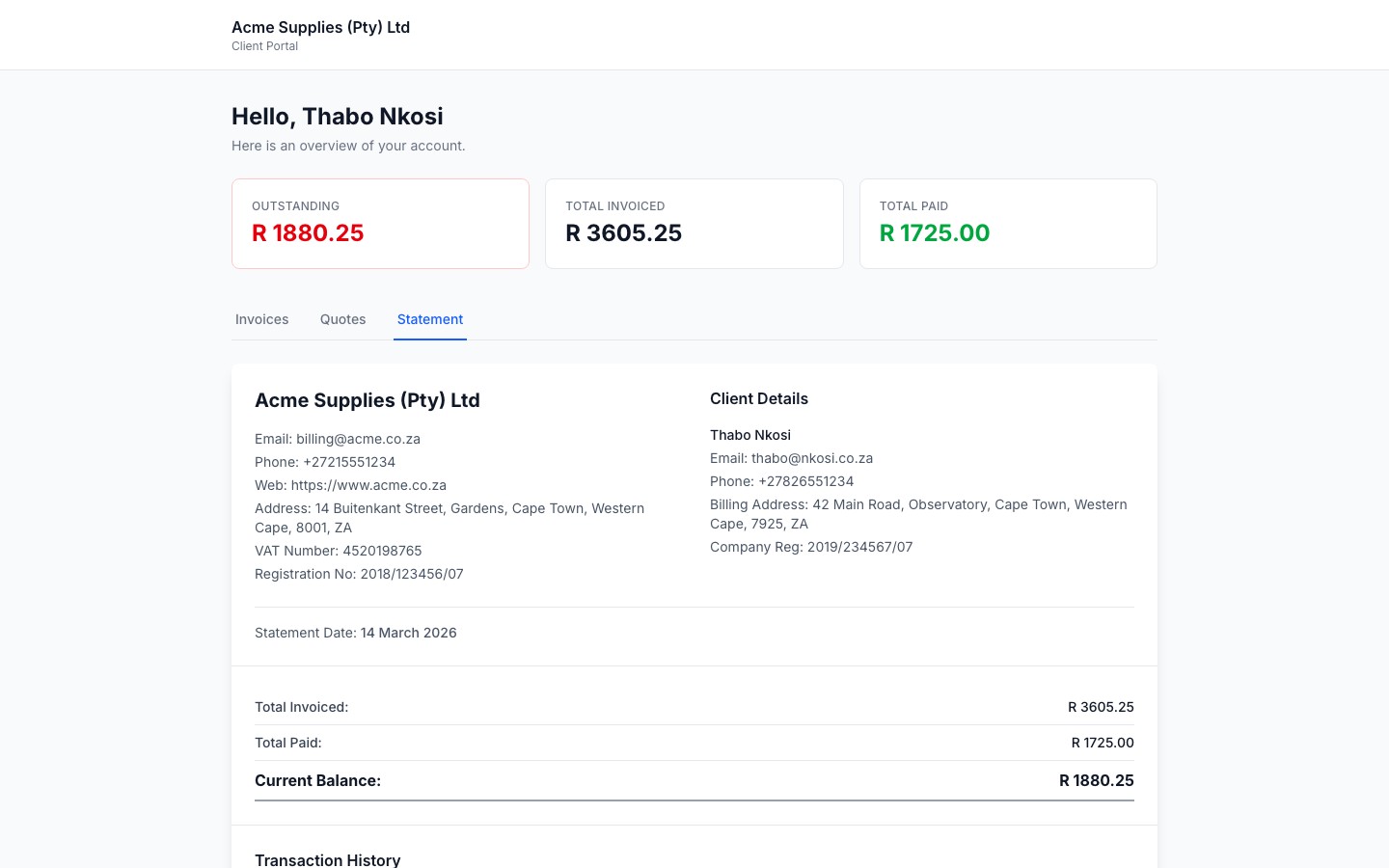
When a client opens their portal link, they see a clean overview of their relationship with your business - no clutter, no account needed.
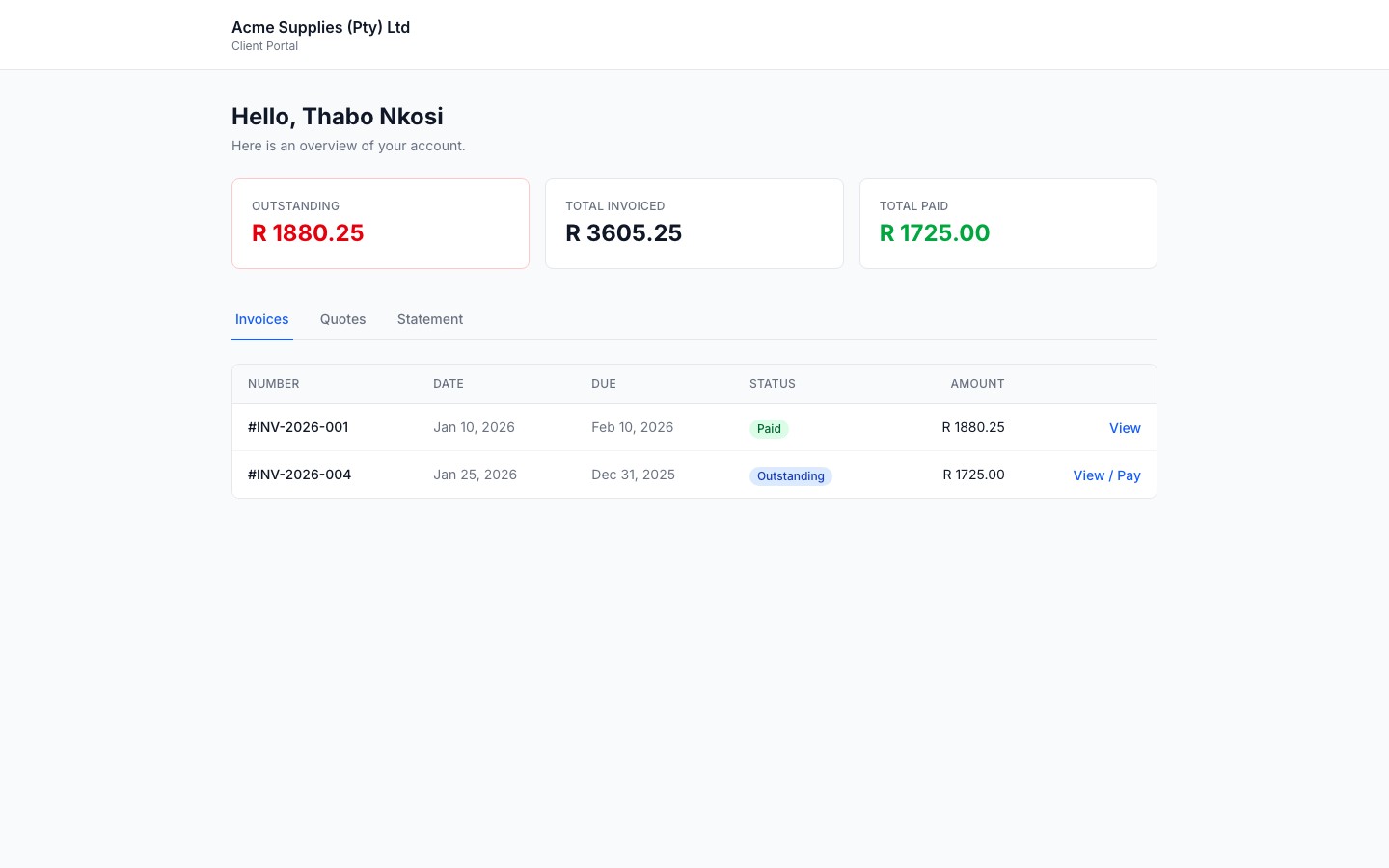
The portal opens on the Invoices tab, showing:
- A summary row at the top: Outstanding balance, Total Invoiced, and Total Paid
- A table listing all invoices with their number, date, due date, status, and amount
- A View or View / Pay link to open each invoice directly
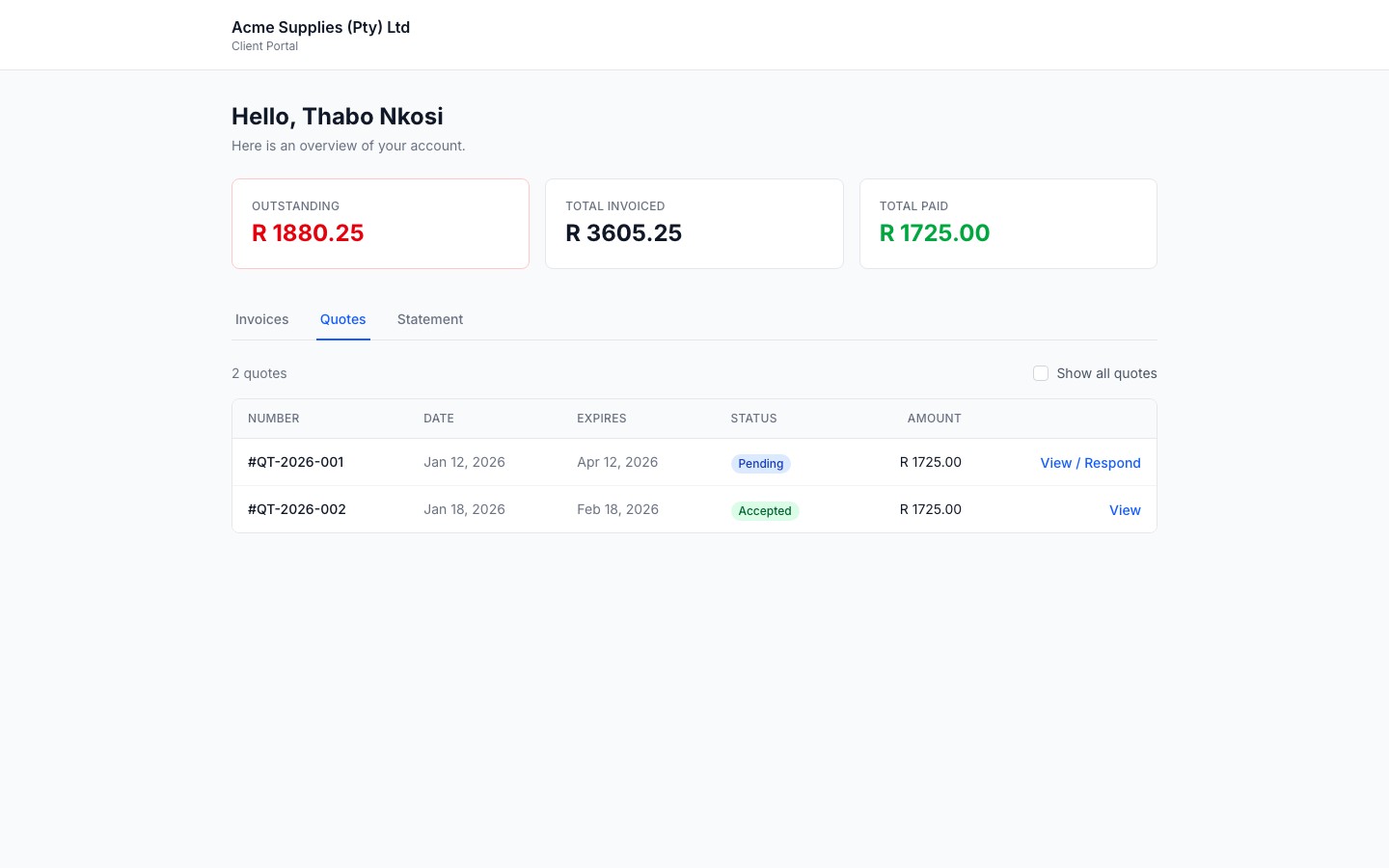
The Quotes tab shows all active quotes (sent and accepted) by default. The client can:
- See the quote status (Pending, Accepted, Declined, etc.)
- Click View / Respond to open a pending quote and accept or decline it
- Toggle Show all quotes to see older or declined quotes
The Statement tab shows a full running account statement: every invoice and payment in chronological order, with a running balance. It works exactly like the statement you can view internally from the client page.