By default, anyone with the portal link can access it. If you'd like extra security, you can set a password. Rebill generates a password for you and you can share it with your client.
- 1
Open the client detail page
Go to Clients and click on the client you want to protect with a password. - 2
Generate a password
In the Portal Access section, click Generate Password. Rebill creates a secure password and displays it on screen. If the client has an email address, the password is also sent to them automatically.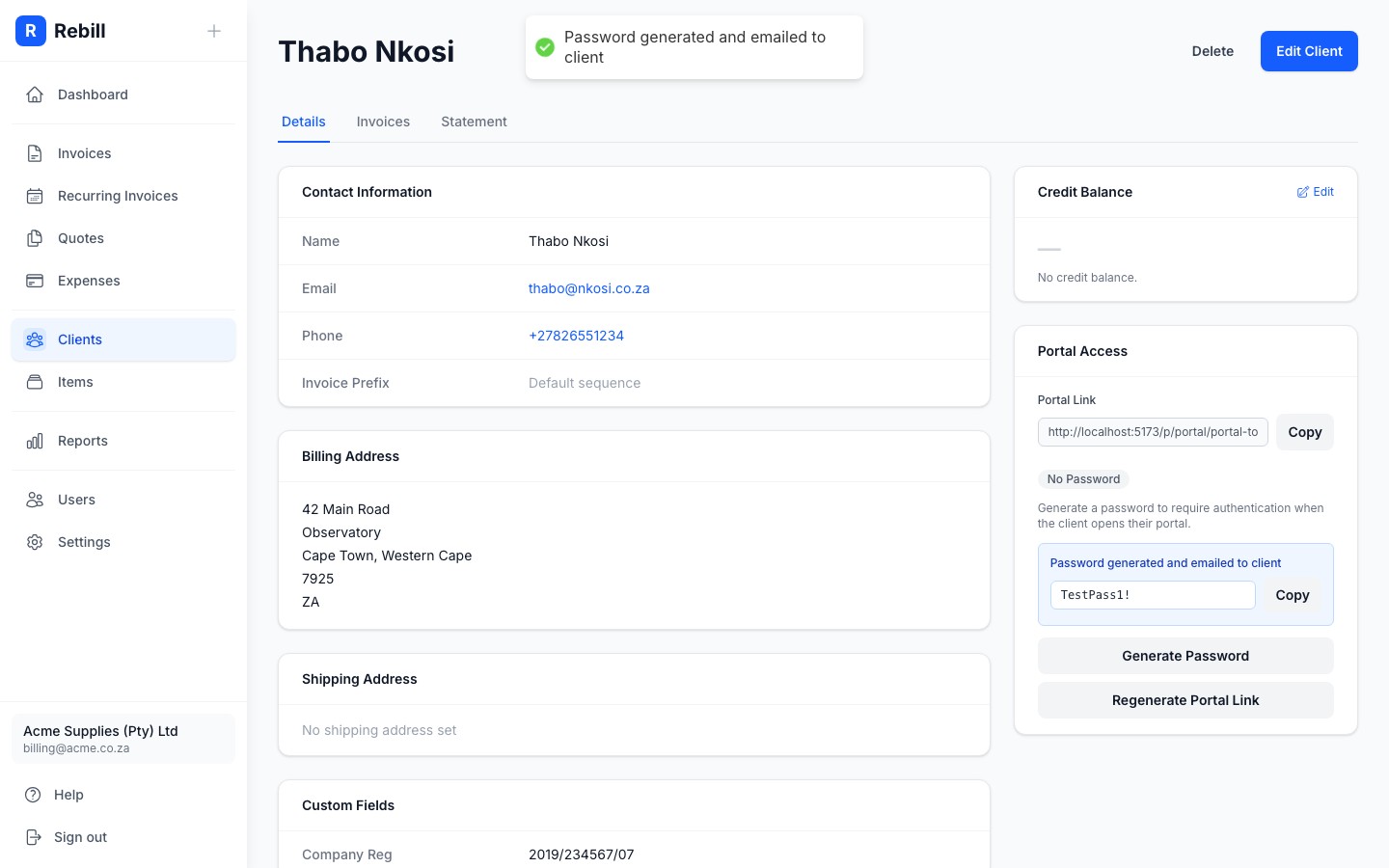
- 3
Share the password with your client
Copy the password using the Copy button and share it with your client however you prefer - via email, WhatsApp, or in person. The password is only shown once after generation, but you can always generate a new one.
Removing a password
To remove the password and make the portal publicly accessible again (to anyone with the link), click Remove Password in the Portal Access section.Password applies to invoices and quotes too
If a client has a password set, the same password protects their individual public invoice and quote links as well - they will be prompted to enter it before viewing any document.